# How to Mint the DAO Badges?

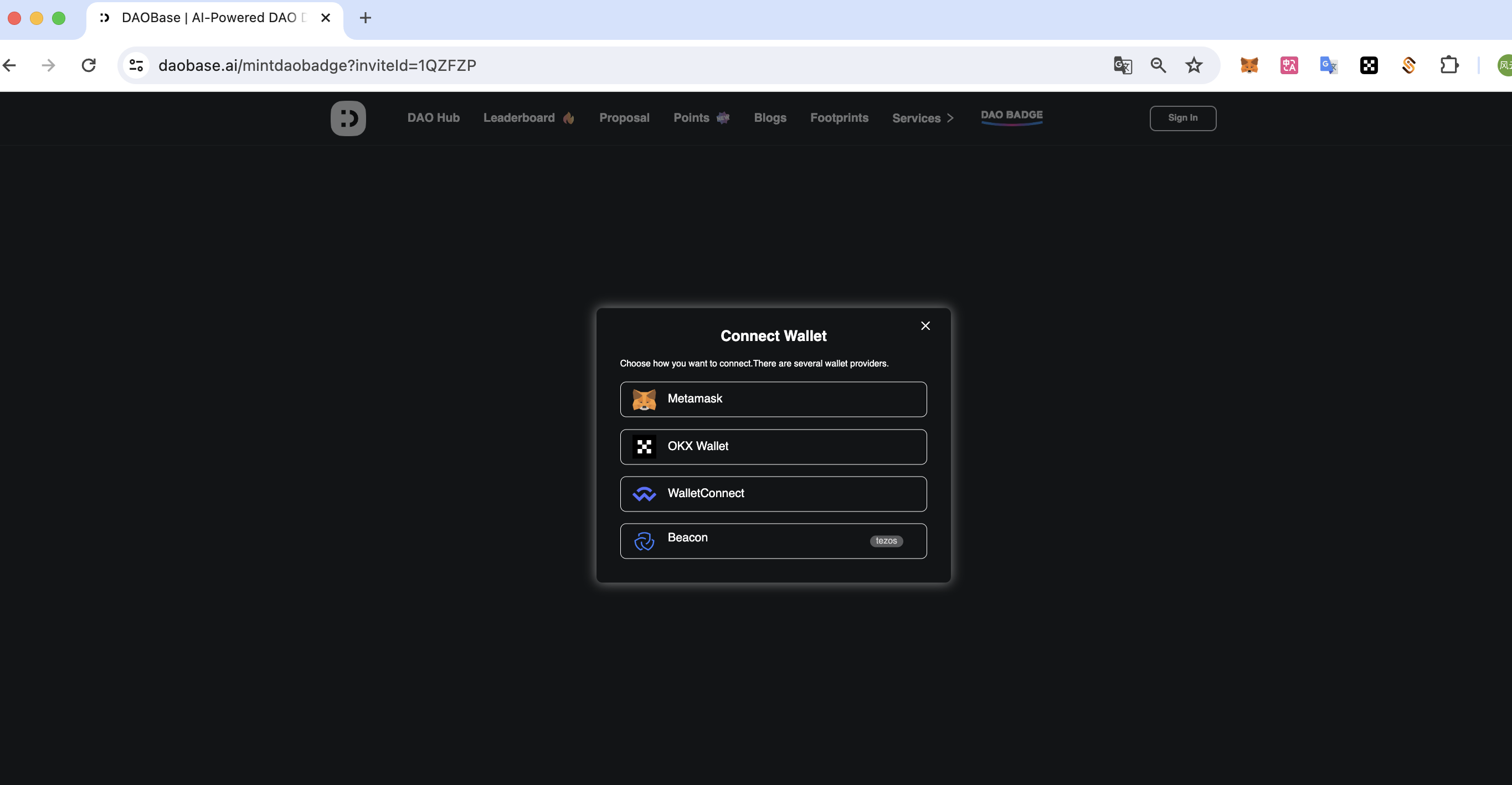
1.**Open the badge page** [**https://daobase.ai/mintdaobadge?inviteId=1QZFZP**](https://daobase.ai/mintdaobadge?inviteId=1QZFZP) **and complete the wallet connection.**

<figure><img src="https://2255482315-files.gitbook.io/~/files/v0/b/gitbook-x-prod.appspot.com/o/spaces%2Fpiefoj7T62u3zNbqpzaV%2Fuploads%2FpXMnDogNgAqjnsTGk2Po%2Fimage.png?alt=media&#x26;token=89d69711-2a42-419d-8d5d-40ccbb667ad2" alt=""><figcaption></figcaption></figure>

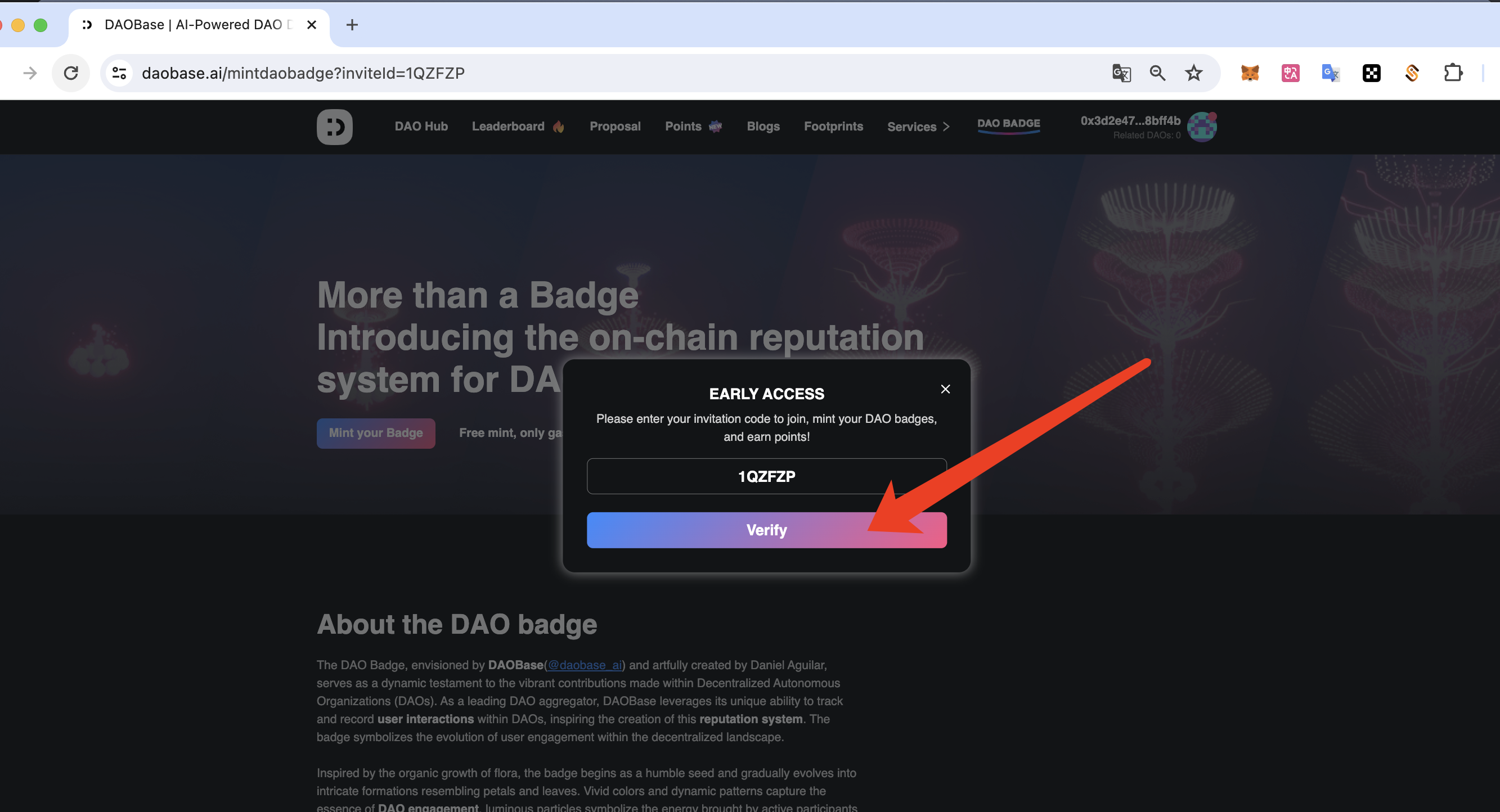
**2.Enter the invitation code and complete the verification.**

<figure><img src="https://2255482315-files.gitbook.io/~/files/v0/b/gitbook-x-prod.appspot.com/o/spaces%2Fpiefoj7T62u3zNbqpzaV%2Fuploads%2FH8NkgFpJNVkOl51Gwgw5%2Fimage.png?alt=media&#x26;token=e981dd79-fc6c-4efb-977d-a67a2ff6fd59" alt=""><figcaption></figcaption></figure>

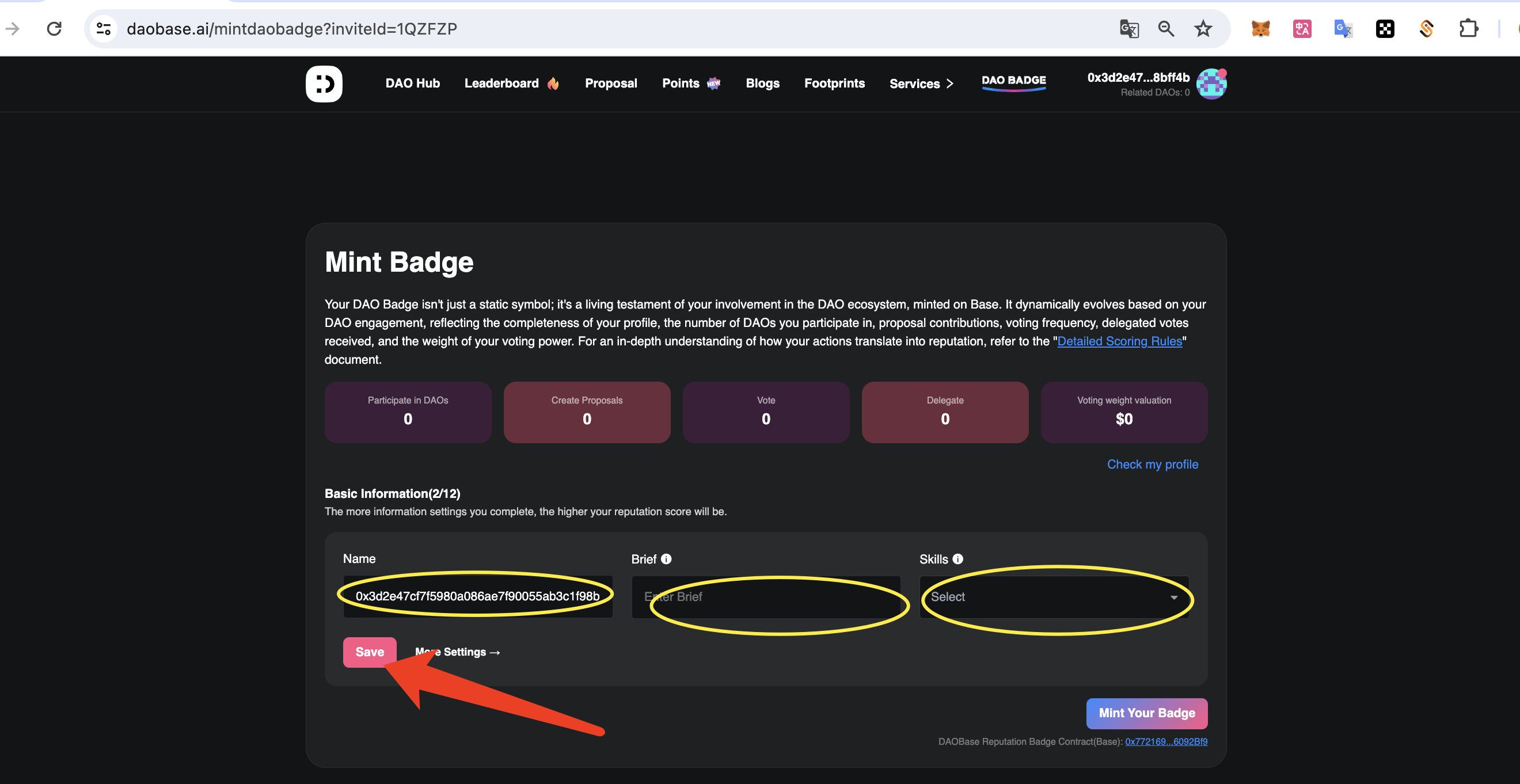
**3.Scroll down to the Mint Badge module and complete the basic information**

<figure><img src="https://2255482315-files.gitbook.io/~/files/v0/b/gitbook-x-prod.appspot.com/o/spaces%2Fpiefoj7T62u3zNbqpzaV%2Fuploads%2F7v7nqyLEZXXTzmSJqb5E%2Fimage.png?alt=media&#x26;token=ccd1e8ac-5146-4815-924f-0aabf4fa8ba8" alt=""><figcaption></figcaption></figure>

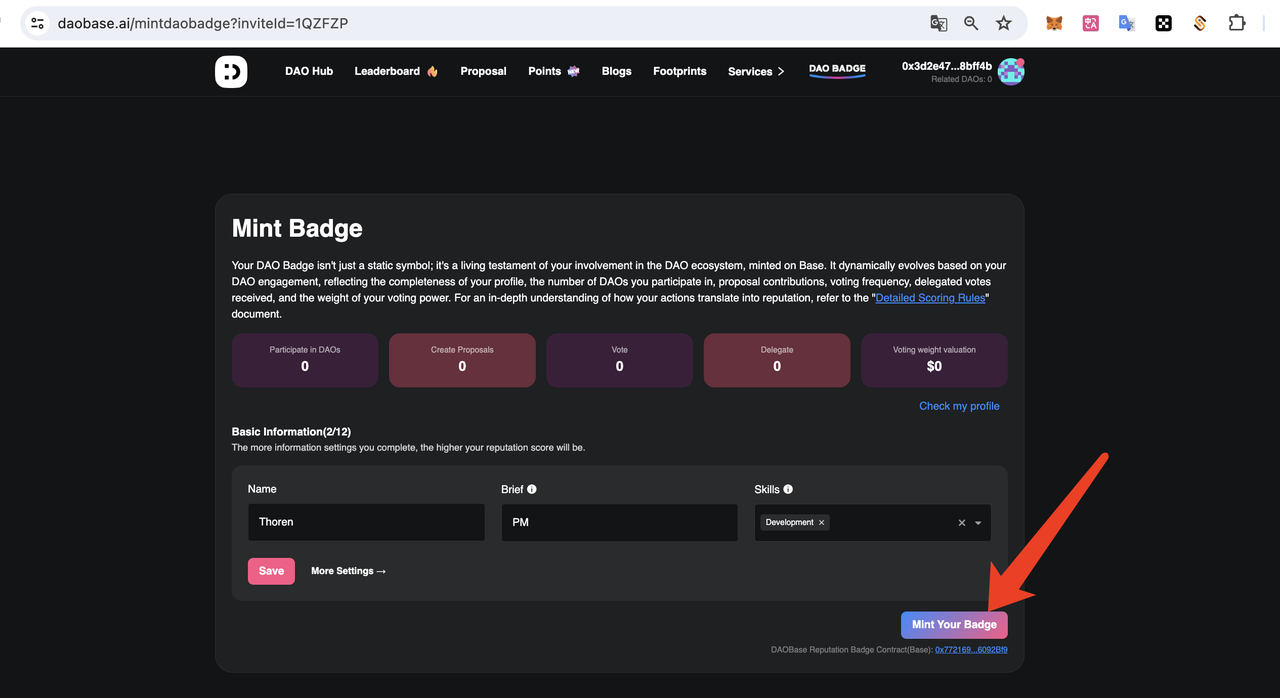
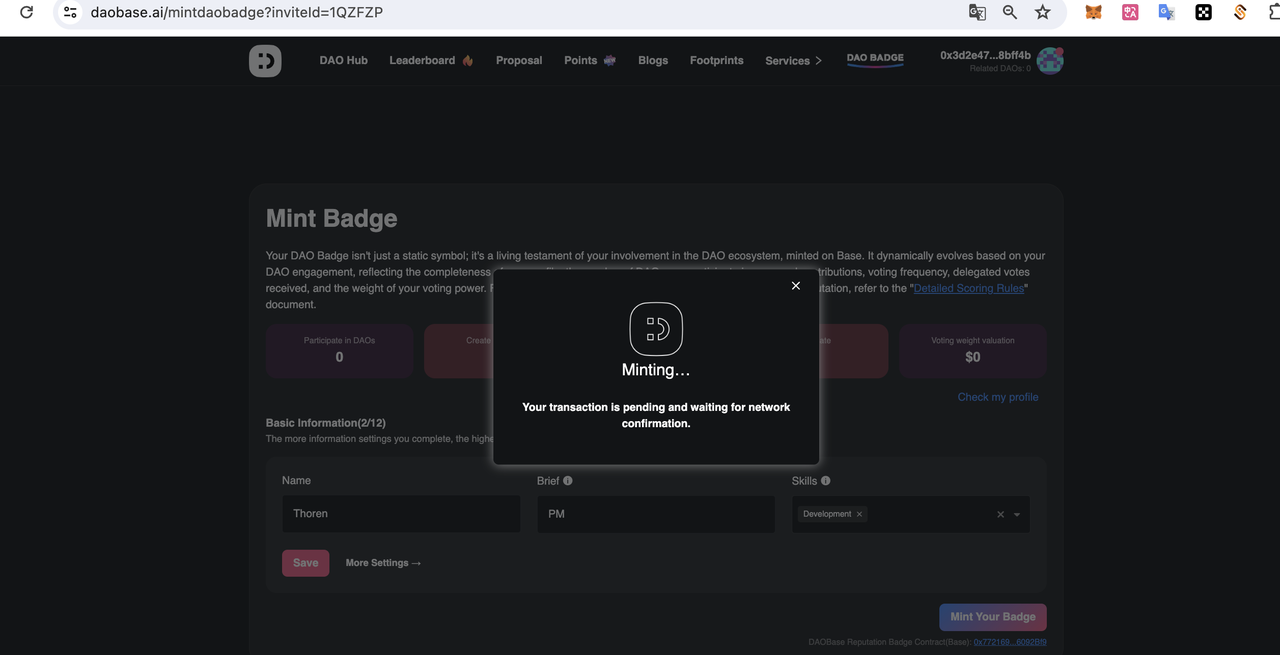
**4.Click the 'Mint your Badge' button to authorize and confirm with your wallet.**

<figure><img src="https://2255482315-files.gitbook.io/~/files/v0/b/gitbook-x-prod.appspot.com/o/spaces%2Fpiefoj7T62u3zNbqpzaV%2Fuploads%2FsDn4BHTIH0CKZ7JIke29%2Fimage.png?alt=media&#x26;token=6921cc63-50b2-41e8-9877-6400dee6c561" alt=""><figcaption></figcaption></figure>

<figure><img src="https://2255482315-files.gitbook.io/~/files/v0/b/gitbook-x-prod.appspot.com/o/spaces%2Fpiefoj7T62u3zNbqpzaV%2Fuploads%2Ftxlt1DaYzS7D6WVwDL1u%2Fimage.png?alt=media&#x26;token=728863b9-3feb-452b-a2fe-b7040d732515" alt=""><figcaption></figcaption></figure>

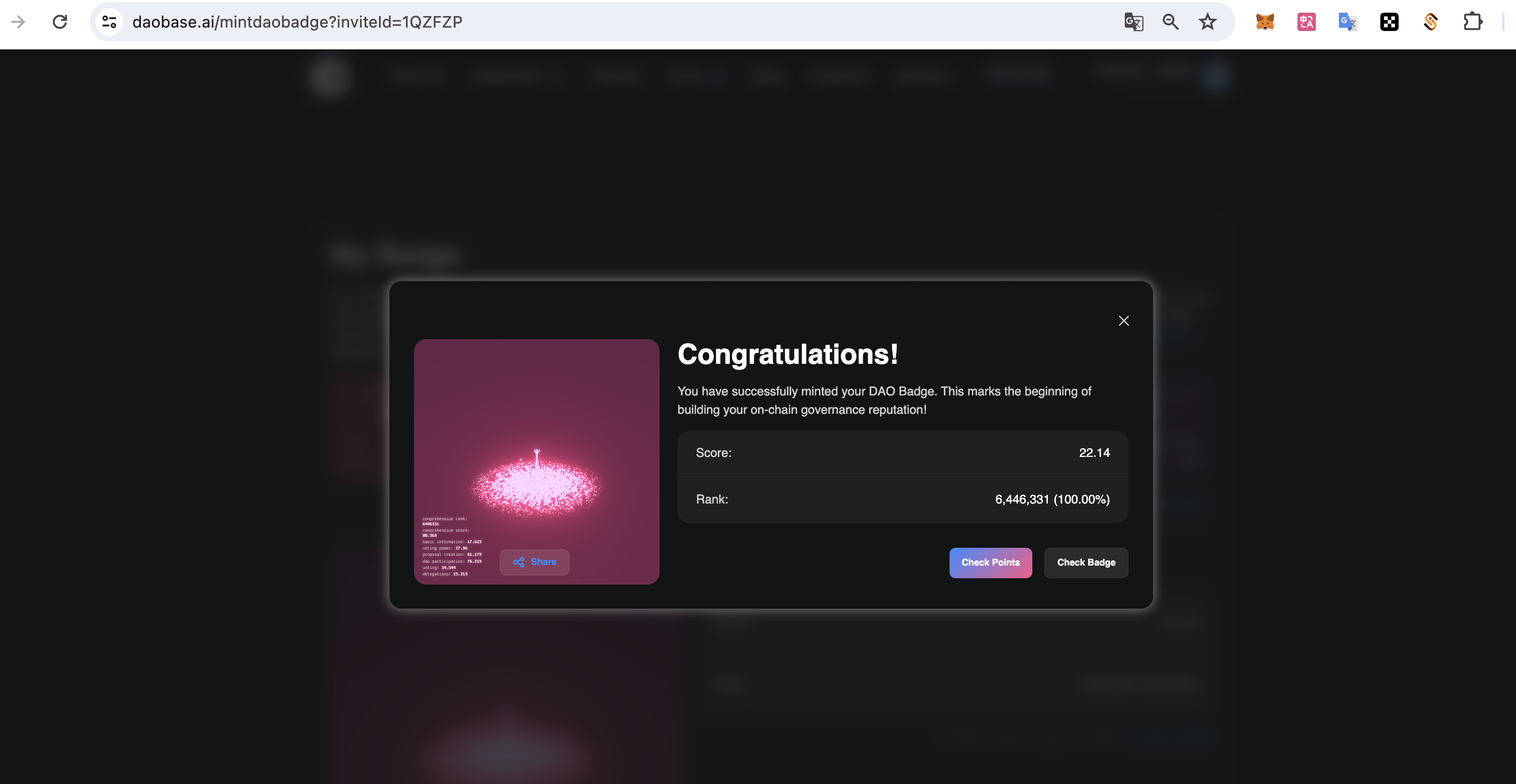
**5.Complete the badge minting**

<figure><img src="https://2255482315-files.gitbook.io/~/files/v0/b/gitbook-x-prod.appspot.com/o/spaces%2Fpiefoj7T62u3zNbqpzaV%2Fuploads%2FOMnTojLYYPdyHsBe3OCM%2Fimage.png?alt=media&#x26;token=aa67e997-08e8-41c9-902f-0c269cd0cf26" alt=""><figcaption></figcaption></figure>