> For the complete documentation index, see [llms.txt](https://docs.daobase.ai/daobase/llms.txt). Markdown versions of documentation pages are available by appending `.md` to page URLs; this page is available as [Markdown](https://docs.daobase.ai/daobase/kr/tutorials-and-guides/undefined.md).
# 개인 프로필 설정 방법
**1.지갑 로그인 후 프로필 설정 진입**\
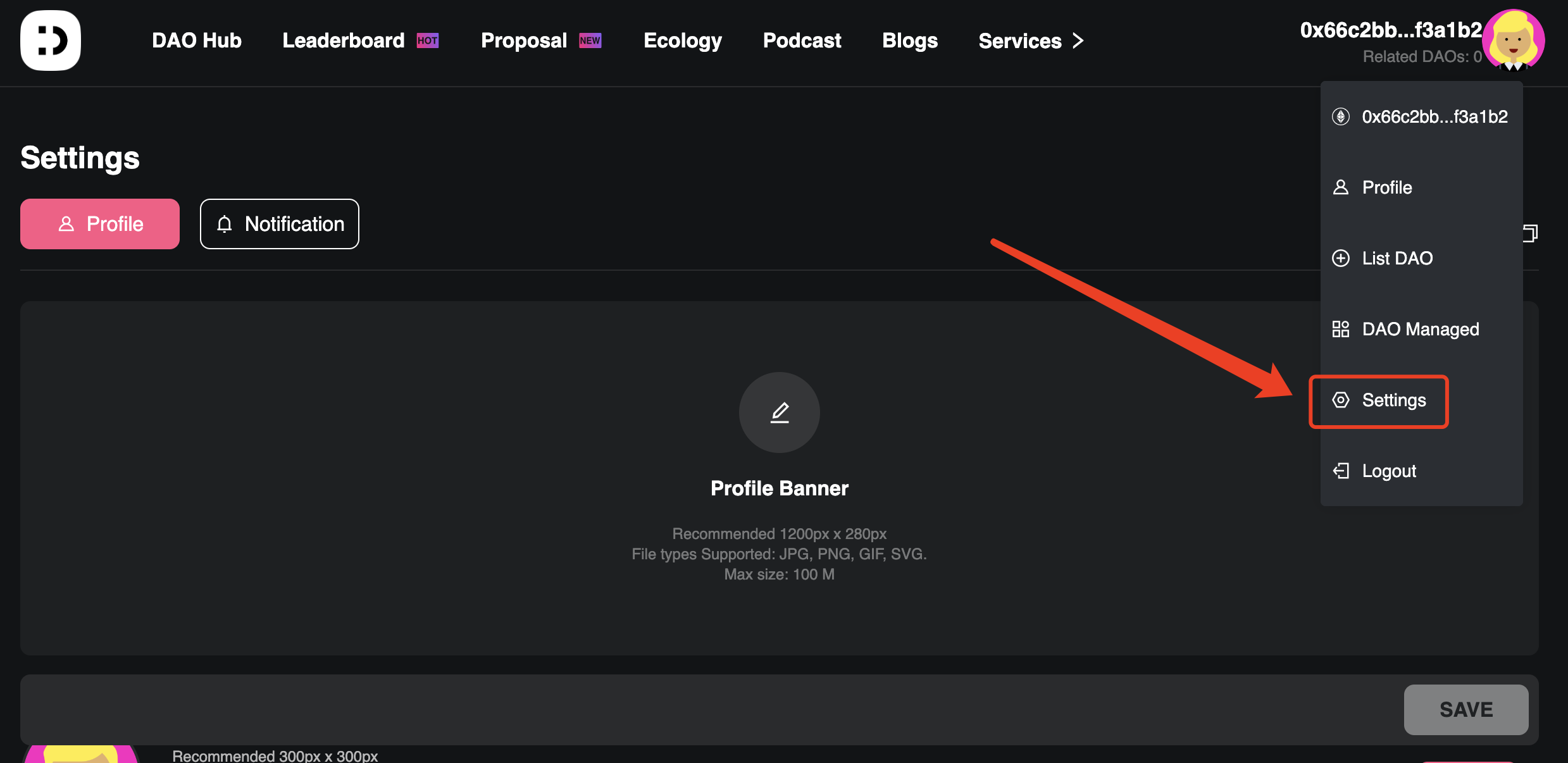
지갑에 로그인한 후, 프로필 사진을 클릭하여 설정 페이지로 진입합니다.
**2.기본 정보 설정**
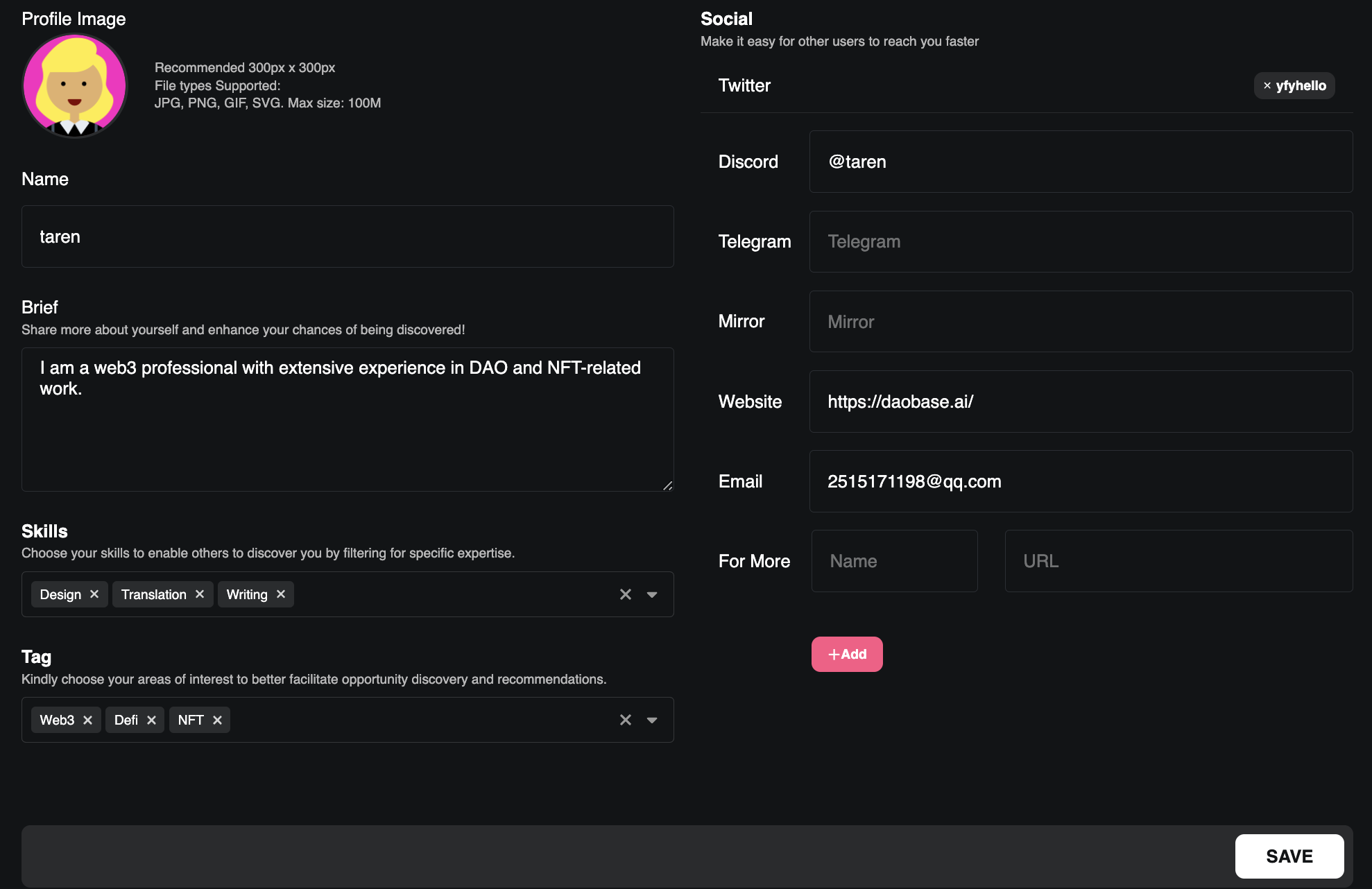
* 프로필 배너와 아바타를 업로드하고, 이름과 자기소개를 입력합니다.\
자신이 보유한 주요 역량을 선택하고, 관심사에 맞는 태그를 설정하세요.
* 트위터 계정을 연동하여 트위터 정보를 자동으로 불러올 수 있으며, Discord, Telegram, Mirror, 웹사이트, 이메일 등 기타 SNS 정보는 수동으로 입력합니다.
* ‘저장’ 버튼을 클릭하면 기본 정보 설정이 완료됩니다.
**3.DAO 참여 정보 및 자산 자동 연동**
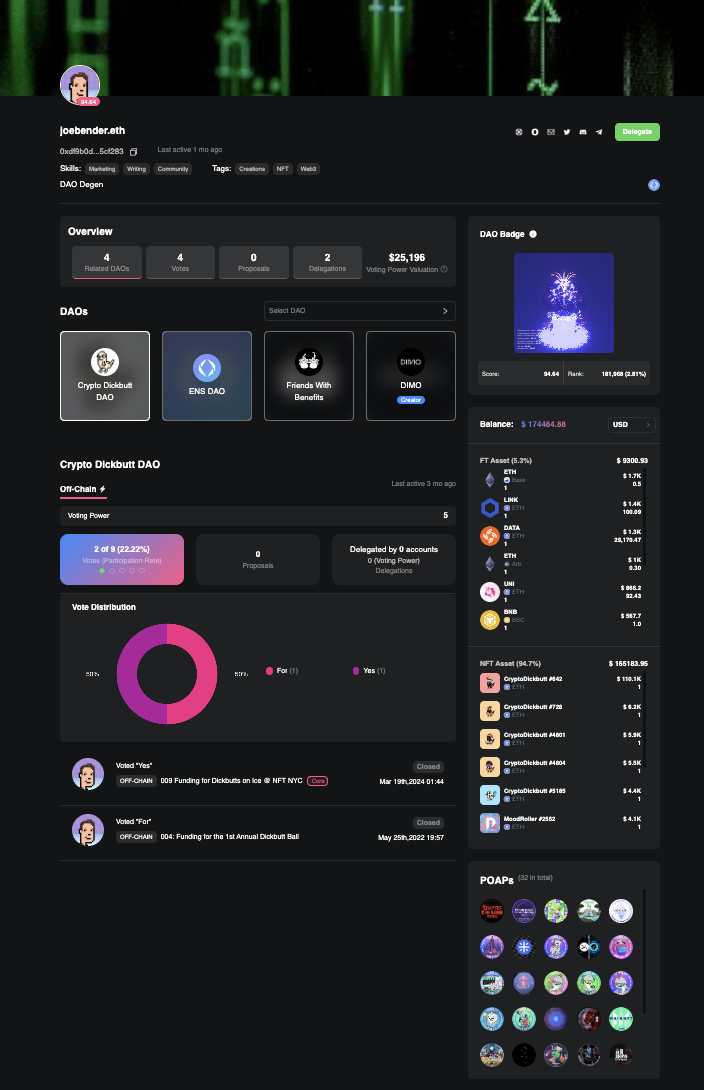
* 시스템은 사용자의 DAO 참여 이력을 자동으로 수집하여, 프로필 페이지에 다음과 같은 정보를 표시합니다:\
참여한 DAO 목록, 투표 권한, 투표 기록, 제안 생성 이력, 위임 상태 등.
* 또한 사용자가 보유한 NFT 및 FT 자산뿐 아니라, POAP 배지 정보도 자동으로 불러와 함께 보여줍니다.